But Do They Know It’s You?
Consistency Is What Makes People Remember You

Listen to me when I say this, but just because you have access to Canva or some random design software doesn’t mean you should be making your marketing materials. Be honest…You know what looks good and what looks like crap.
You can picture them: designs with too much text, multiple fonts, pixelated images, and too many colors. There is a gradient background, tilted text for ‘important’ information, background designs that make the text impossible to read, and to ice the cake the colors are a bright red or blue or yellow which just hurts your eyes to look at.
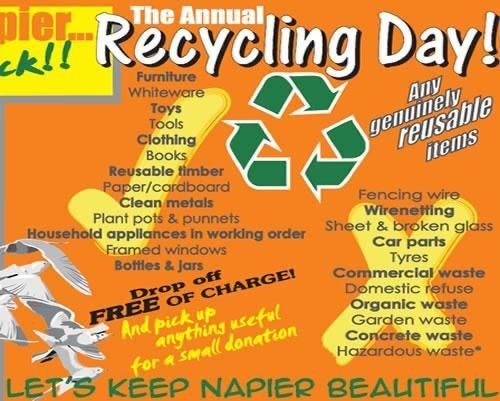
It hurts the eyes (and the soul.)
Those clip art Word designs aren’t going to cut it anymore.
In a digital era, we consumers know what looks good and what doesn’t. And as a brand, it doesn’t just mean that your post is being ignored or scrolled past, it is subconsciously telling those people to not take your business seriously. Let the data speak for itself: according to Adobe’s consumer behavior study, 38% of users will stop engaging with content if the layout is unattractive.
Do you think brands like Pepsi, Starbucks, or Target would have the brand recognition that they do if they just whipped together designs without really strict brand design rules? Brand guides and brand boards are essential for any business looking to present a consistent look, feel, and message. You have existing standards for your business like your mission, who you serve, and what you offer, well the same effort needs to be put into how your brand is visually showing up online, in print, and really anywhere you want your logo to go.
Consistency Is Non-Negotiable
One of the many lessons I learned from being a military kid and military spouse is that perception is reality. How you present yourself and the impression you give isn’t just in how you conduct yourself or how great your customer service is or how good of a job you do, it more often than not will start with what they THINK about you based on what they SEE.
This is why there are such strict uniform standards down all the way down to what socks you wear and how your hair is done. You have to look clean, presentable and are held to the same standard as everyone else around you. (Why do you think a man in uniform is such a female gaze cliche’? 😉)
When someone sees your website, then gets an email from you, seeing your post on Facebook or Insta, or just seeing your service van driving around town they should KNOW every time without a shadow of a doubt WHO they are looking at.
My friend owns a restoration business called Watermark Restoration Solutions and my kids can spot ‘Uncle Chris’s’ van every time we are out and about in town. Those orange, yellow, and black vans are an iconic part of the rhythm of the town. That same brand recognition can be seen on their website, their social media posts, their booth stand, flyers, uniforms, everything.

So, How Do You Brand Board
I am so glad you asked!
Some context, it is important to understand that when I walk you through this, it is coming from 25 literal years of doing digital design. I got started in 2001 in my high school graphic design class using Adobe Photoshop 6.0 (there have been NINETEEN updates to Adobe Photoshop since then). I have made SO many bad designs! I have seen dozens and dozens of trends and styles (good & bad). I have studied typography, color theory, layout and design, and went to the school of hard knocks through tons of rejections from many a client.
So trust me when I tell you, I’ve got you!
First: What is a Brand Guide or Brand Board?
This is not to be confused with something like a Pinterest mood board. It’s not “vibes” or ““what colors do I like this month.” A brand board is a decision document that removes design guesswork and eliminates inconsistency. It also is ONE location where EVERYTHING about your brand can be accessed for your team to use.
You use this for all your print and digital design needs. You, your team, or a service provider can utilize this to make sure you are being consistent across the board with your designs.
To make this REALLY easy for you, I am going to show you a REALLY easy way to build and organize your brand board to take out any guess work or confusion you might have using Adobe Express.
What Goes Into A Brand Board
There are 4 parts to every Brand Board: Logo, Colors, Fonts, & Graphics.
Logo:
The first rule of Brand Boards is you don’t use low-res files.
The second rule of Brand Boards is… you DO NOT use low-res files.
If the only version of your logo lives inside a Word document from 2013 or a random fuzzy jpeg file, we have a problem.
What you actually need is:
A vector file (.AI, .EPS, or .SVG)
A high-resolution PNG with a transparent background
Color variations that actually work in different settings
Ask yourself: Does your logo get fuzzy when you make it bigger? If the answer is yes, than you don’t have a good copy of your logo.
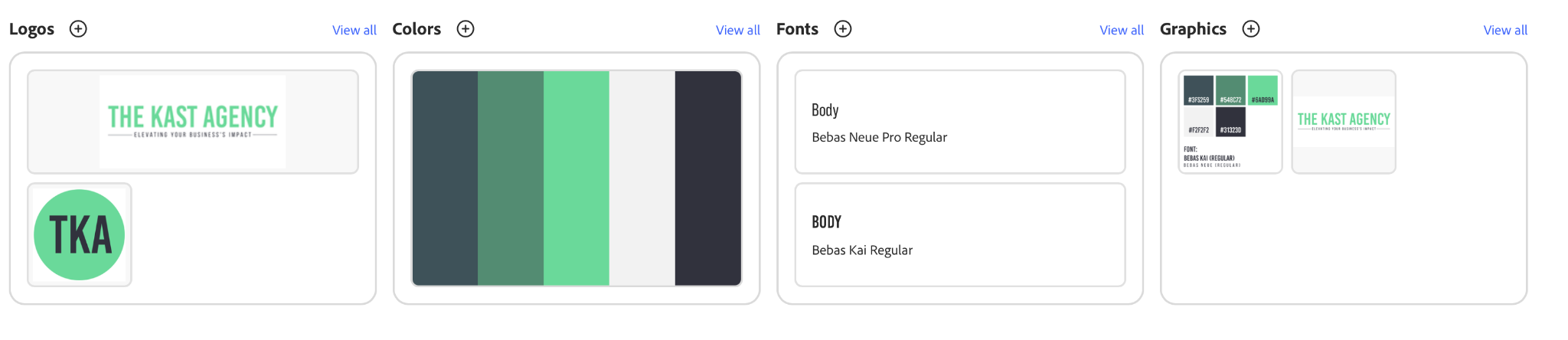
In your Brand Board, I encourage you to have multiple versions of your logo. Often times you will have different needs across digital and print marketing and by having the different versions cleary laid out, you will have approved versions to use for the designs.
I suggest at the very least having a square or circle-able version of your logo for social media icons. As you can see from the example from my company, The Kast Agency, we have our formal version and a simple circle version that are available to use in designs.
Colors:
This is where you want to be REALLY specific. Not just ‘green’ or ‘red’ but the actual HEX code for your specific colors. What is a HEX code? Well, A HEX code is a six-digit combination of letters and numbers (like #F04A3A) that tells the internet the exact shade of a color to display on screens. For print, this gets converted into CMYK, which is the exact colors needed to make your brand colors for print.
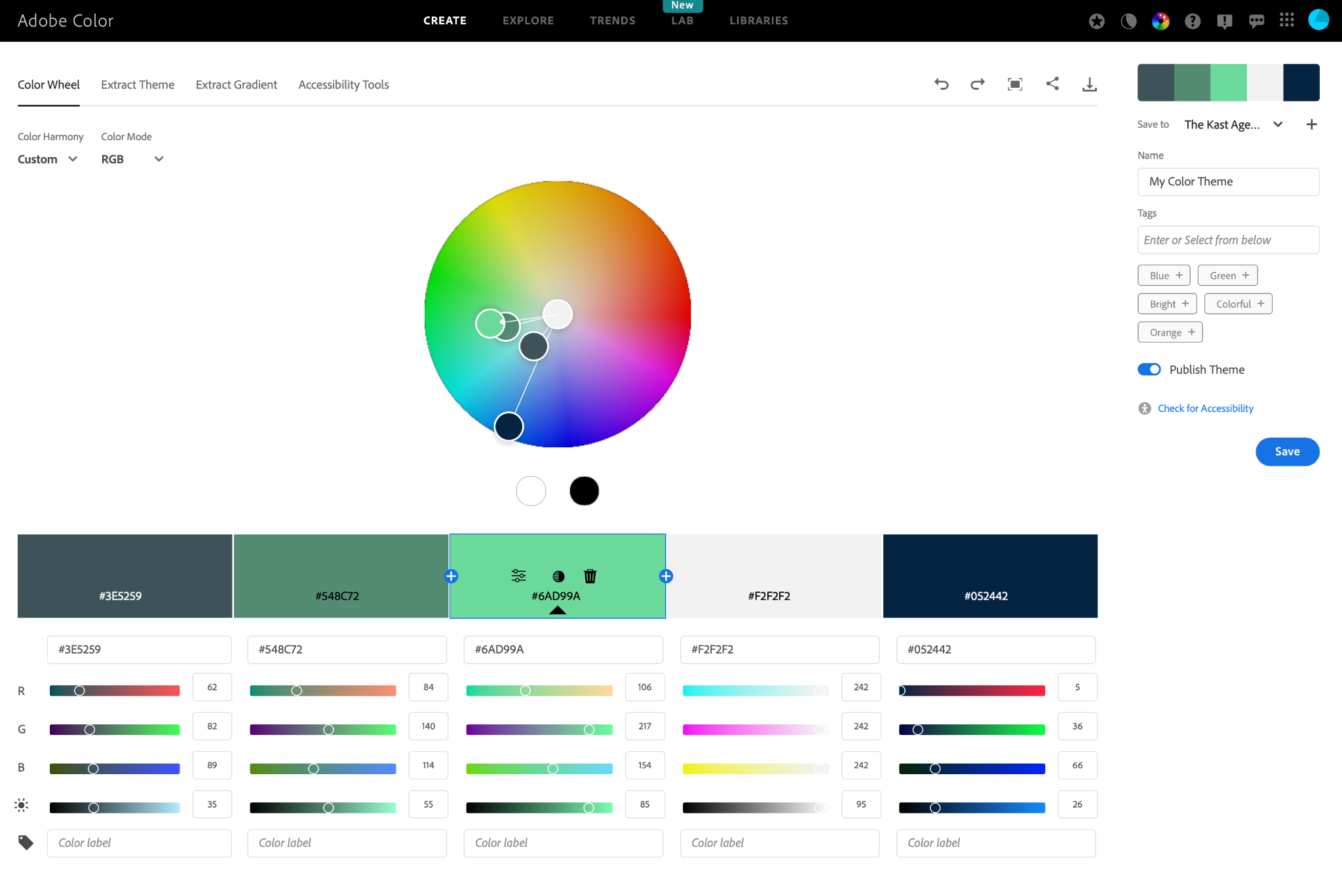
To figure ou what exact colors you have, you can upload your logo or marketing materials you have to Adobe’s Color Exact Theme and it will identify the colors you have and suggest additional colors that would be good secondary or complementary colors for your designs.
If you want play around with colors and see which ones you can find, you can use Adobe’s Color Color Wheel tool to find ones you like. Tip from me to you: I would have at least 5 colors: Main color, secondary color, a light color, a dark color, and either a complimentary color or another secondary color.
Some brands have a variety of colors they use to build their brand, like Watermark (red, yellow, black) or you can have one base color scheme you play off of, like TKA we have different versions of our green.
Fonts:
This is where brands quietly fall apart. You cannot use a different font every time you open a design tool. It just becomes this really ugly chaos.
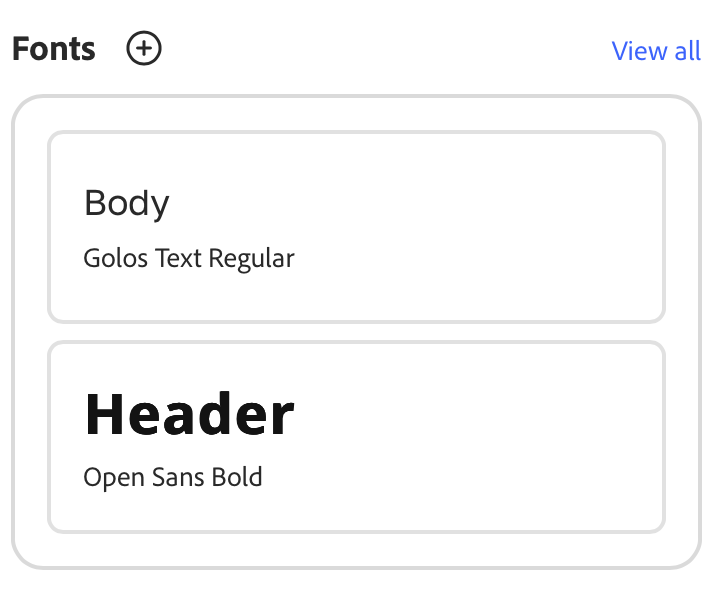
Your brand should have 1–2 primary fonts with defined roles:
One headline font
One body font
Optional accent font used sparingly
Once you choose them, stick to the approved versions and weights. No random swaps because something “looked fun.”
Three simple typography rules:
Your body font must be clean and highly readable. If people struggle to read it, it is not serving you.
Use script fonts sparingly. (These are the swirly cursive ones.) They are accents, not paragraphs.
Avoid font soup. More than three fonts on one design usually means you have lost control.
Typography communicates personality through readability, consistency builds recognition.
Graphics:
This is about visual tone and alignment.
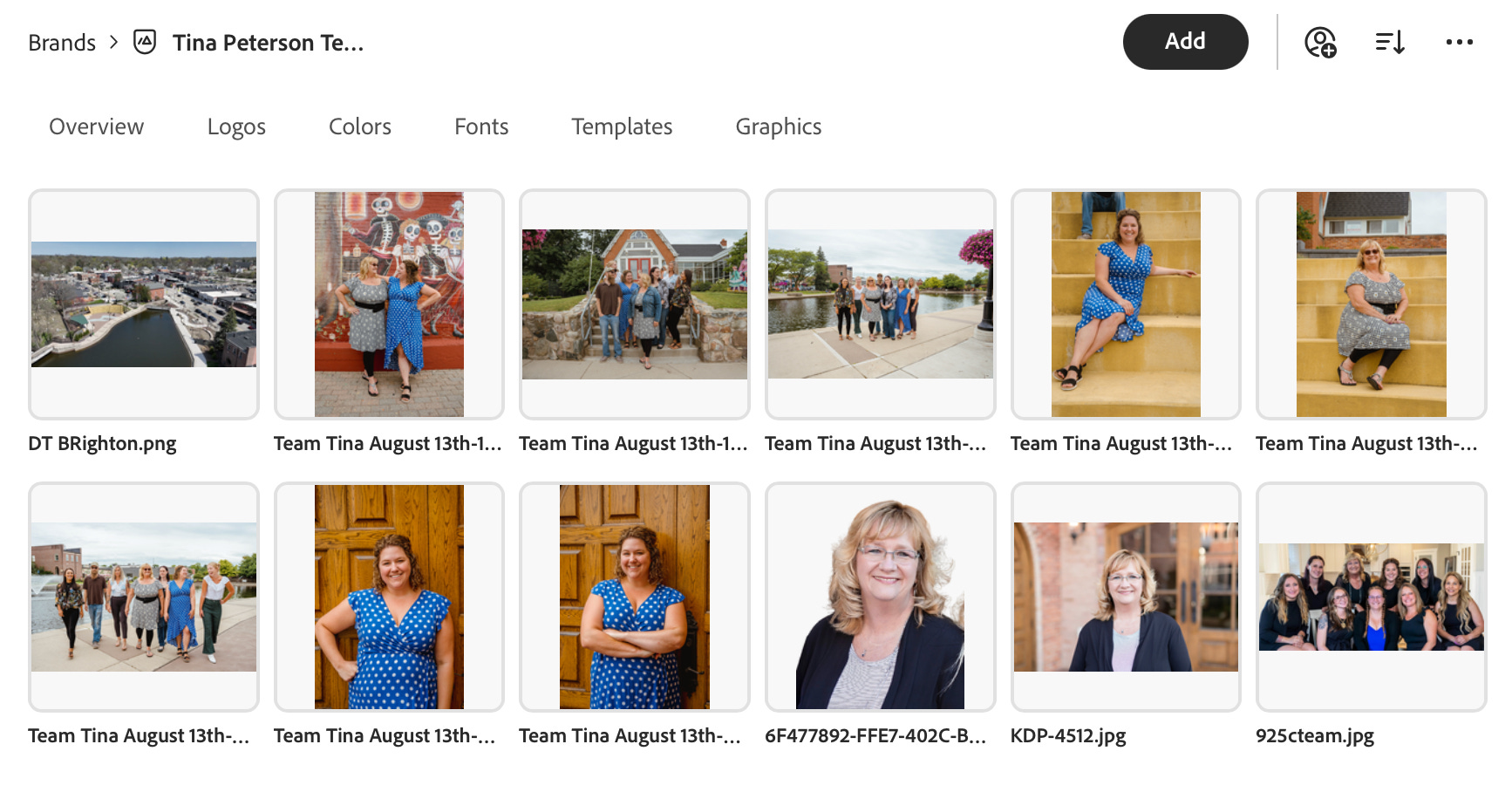
Your graphics communicate what kind of brand you are before anyone reads a word. Warm and welcoming. Scientific and minimal. Dark and bold. Playful. Corporate. You do not get to be all of them at the same time.
Define your standards:
Photography style
Icon or illustration style
Backgrounds and textures
Layout structure
You also need to define who is visually represented in your brand. Are you showing LGBTQ+ families, racial diversity, elderly couples, traditional families, blue collar workers, or corporate professionals? The people in your visuals signal who you are for.
Accuracy matters. If you serve the military community, your imagery should follow military standards. Incorrect uniforms or unrealistic stock photos immediately damage credibility with the very audience you are trying to reach.
Graphics shape perception long before your copy ever does.
I’m Not A Designer, How Do I Do This?
I understand that most people don’t have 25 years of experience in graphic design like me But if there’s one thing you can always count on for me it is that I’m gonna give you an easy to use solution that I have personally vetted And use myself.
Adobe Express Brand Kits are something I set up first thing for every client that I onboard. It makes it so easy to keep all their colors, logos, fonts, and graphics for every client organized in an easy and accessible way.
Not only does Adobe Express have a bazillion templates fonts in stock images and videos, but just an easy to use and super affordable tool. And in a world of complicated and expensive tech stacks, Adobe Express is going to be the easiest way for you to manage all geographic needs no matter what level you’re at.
Bringing It Home
The real goal of a Brand Board is not to look “pretty.” It is to be recognizable. On page 55 of my book Stop Marketing. Start Belonging., I explain why consistency is non-negotiable for any brand. Recognition is built through repetition, clarity, and visual discipline over time.
When someone sees your van, opens your email, scrolls past your post, or gets a flyer in the mail, they should know it is you before they read a single word. That is branding.
This post is sponsored by Adobe Express.
#AdobeExpressAmbassadors #Ad #HowToAdobeExpress